Offline access means your students can keep reading, even when Wi-Fi isn’t available. If you’re offline, you can still open and enjoy any downloaded books.
Accessibility tip: Offline mode ensures equal access for students with limited internet at home.
Step 1: Update the Pickatale app to the latest version.
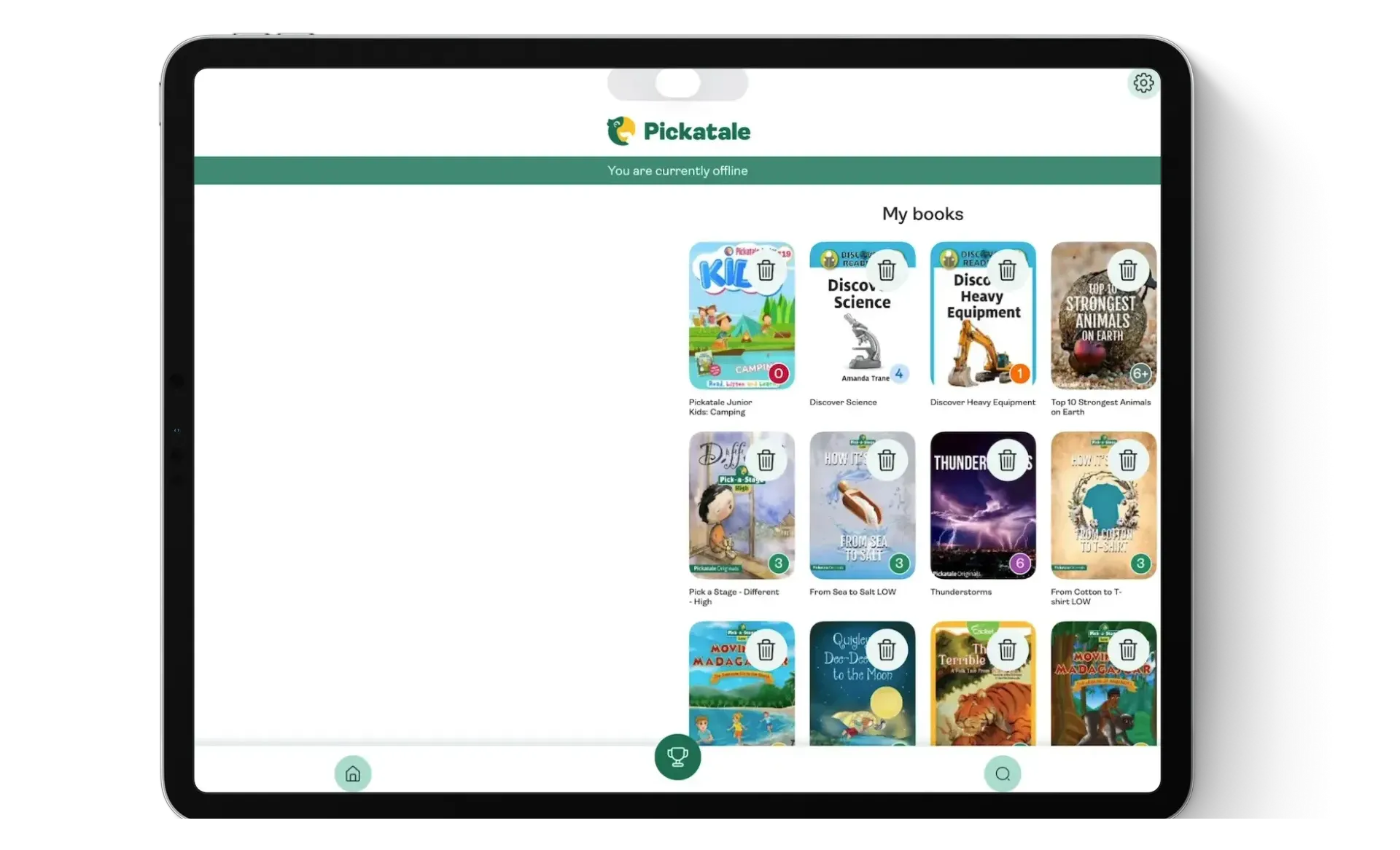
Step 2: To download books to your local device and access them offline, you need to press Read now, so they are available in your library. This can be actioned for multiple books, depending on which titles you want to read offline.
A future update of our mobile apps will include a dedicated button to download books in the background and have them ready for offline access.
Quizzes can be accessed when back online.
Step 3: A banner with “You are currently offline” will show up across all screens in the app.
All elements of the app contain a button that will direct you to the My Books section for easy access to your downloaded books.
Commonly asked questions
Which elements of the app will still be available?
- My Books - this section contains all the downloaded books
- Book Reader - Read the books offline
- Delete book - you can delete a book while offline
- Favourites - this will show all the books you favourited, and also the ones you have already downloaded to read offline. Only the downloaded titles will be available without an internet connection.
Is the reading metrics data (My classes) still being tracked/updated?
Yes. The current page read, total percentage of the book read, and feedback at the end of the book, are all tracked and sent the second the user comes back online.
Do I need to do something when the device comes back online?
No. The app will detect the presence of a network and it will refresh everything in the background. All elements that were previously disabled, will be available again automatically.
Can I switch child profiles on a family account while offline?
Yes, also note that each child profile will have their individual list of downloaded books, so a book might appear under My Books for a child, but not for the other.
If, on the other hand, both opened the same book to read while online, then it will show up on both their MyBooks screens.
Are books automatically downloaded in the background (assigned books or favourites)?
No. In this current version, when a teacher assigns a book to a student, it will not be automatically downloaded in the background, neither will favourite books.
What if two child profiles have the same book and delete it from My Books?
The book will not be erased until ALL users that have that same book in their My Books screen delete it.
Was this article helpful?
That’s Great!
Thank you for your feedback
Sorry! We couldn't be helpful
Thank you for your feedback
Feedback sent
We appreciate your effort and will try to fix the article